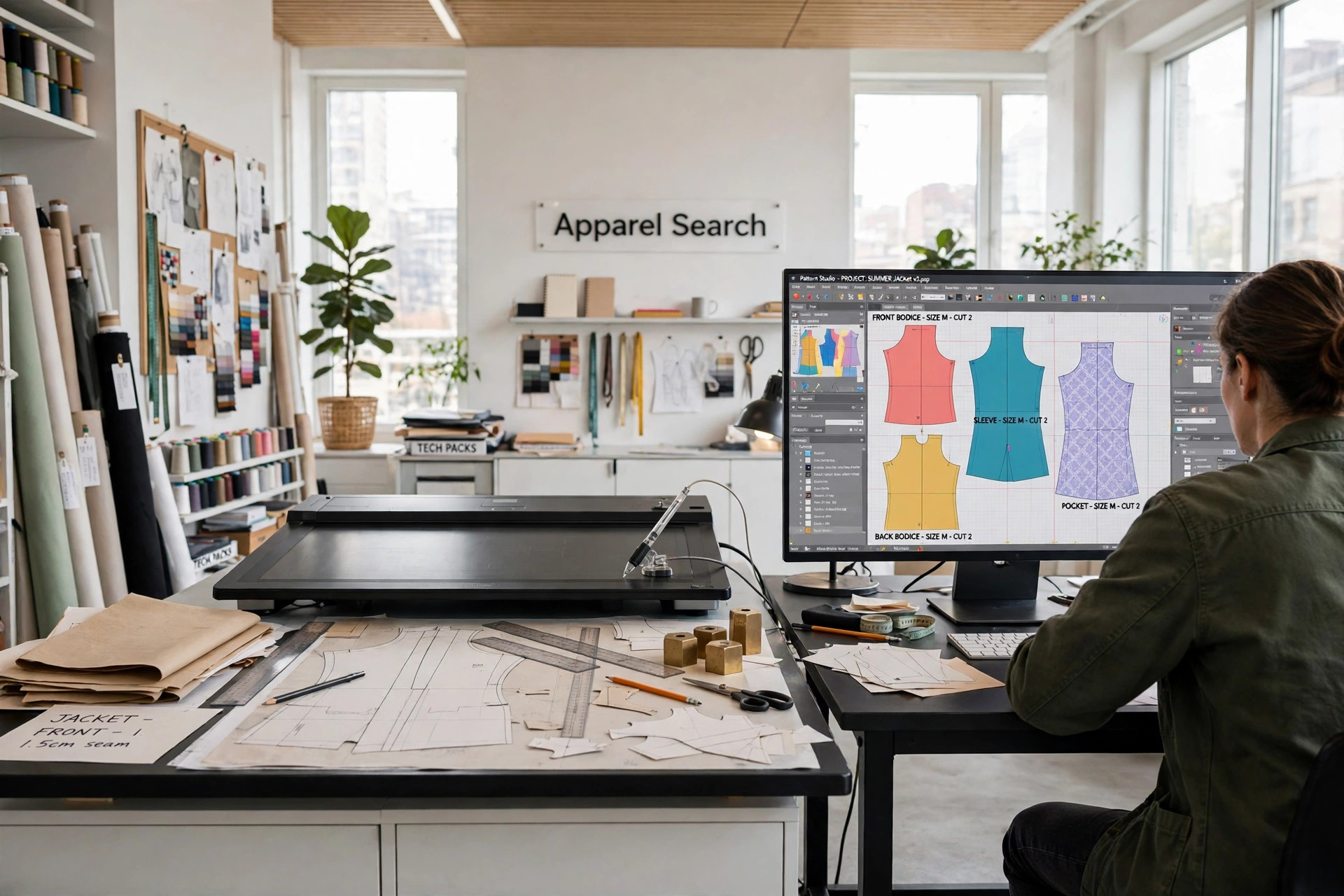
01 / The BasicsWhat CAD and CAM Mean in Apparel
CAD stands for computer-aided design: software used to create and engineer a product digitally. CAM stands for computer-aided manufacturing: software and computer-controlled machinery used to produce it. The terms come from engineering industries like automotive and aerospace, but apparel adopted them decades ago and gave them its own meaning, centered on the garment pattern — the flat pieces of fabric that, sewn together, become a shirt, a dress, or a pair of jeans.
In clothing, the pattern is the master data of the whole business. Get the pattern right and everything downstream — grading, cutting, sewing, fit, costing — has a chance of going right. Get it wrong and the error is reproduced in every size and every production run. CAD/CAM exists to make that master data precise, reusable, and safe to hand from the design studio to a factory on the other side of the world.
CAD, defined: our fashion definitions explain CAD (computer-aided design) as the use of computer systems to create, modify, and analyze a design — in apparel, above all the pattern, its sizes, and its markers.
The two halves are sold and used together so often that the industry usually says “CAD/CAM” as one word. A typical apparel CAD/CAM installation combines pattern design software, a digitizer or scanner for bringing paper patterns in, a plotter for printing markers and check patterns, and a data link to the cutting room. Larger companies add 3D sampling, product lifecycle management (PLM), and direct feeds to automatic cutters.
02 / Computer-Aided DesignThe CAD Side: Designing on Screen
Pattern design and digitizing
Everything starts with the pattern. In a CAD system (often called a PDS — pattern design system), a pattern maker can draft a pattern from scratch on screen, working with points, curves, darts, pleats, seam allowances, notches, and grain lines, all measured to fractions of a millimeter. Just as often, the starting point is an existing paper pattern: it is digitized — traced point by point on a digitizing table with a cursor, or captured by a scanner or camera-based system — so a pattern developed by hand, or inherited from years of production, becomes an editable digital file.
Once a pattern is digital, it stops being fragile. It can be copied without distortion, altered in minutes instead of hours, checked for matching seam lengths automatically, stored in a library, and sent anywhere by file transfer instead of by courier. Alterations that once meant redrafting a whole pattern — moving a dart, reshaping an armhole, adding a style line — become controlled edits with the earlier version still on file.
Grading: one pattern, every size
A style is sold in a range of sizes, and grading is the process of growing and shrinking the base-size pattern into the rest of the range. In CAD, the pattern maker sets grade rules — how much each point of the pattern moves between sizes, based on the company’s size chart — and the system generates the full graded nest instantly and consistently. Change the base pattern and the sizes re-grade from the same rules, which is why CAD grading is both faster and far more consistent than grading each size by hand.
Marker making: fitting pieces to fabric
A marker is the layout of all the pattern pieces for a production run, arranged within the width of the fabric so they can be cut in one pass. Fabric is usually the largest single cost in a garment, so how tightly the pieces nest — the marker’s efficiency — directly decides profit. CAD marker making lets a specialist drag pieces into place on screen, and automatic nesting tools can test thousands of arrangements to squeeze out extra percentage points of fabric savings that no human would find by hand. The finished marker is also the file the cutting room will use, which is where CAD hands over to CAM.
Textile design, sketches, and tech packs
CAD in fashion is broader than patterns. Designers use related tools to create and recolor prints, plaids, stripes, and jacquard designs, and to preview a print at true scale on the garment before a yard is printed — our guide to textile design software covers that side of the work. Technical designers build the tech pack — the measured specification, construction details, and bill of materials a factory sews from — increasingly inside the same digital environment, so the sketch, the pattern, and the spec never drift apart.
03 / Virtual Development3D Sampling and Virtual Prototyping
The newest layer of apparel CAD drapes the flat pattern pieces around a digital avatar and sews them together on screen. Because the simulation works from the real pattern and from measured fabric properties — weight, stretch, drape, thickness — the virtual garment hangs and wrinkles much as the physical one will. Fit can be checked with tension and pressure maps, prints can be positioned exactly, and a buyer can approve a style’s look, colorways, and proportions before a single physical sample is sewn.
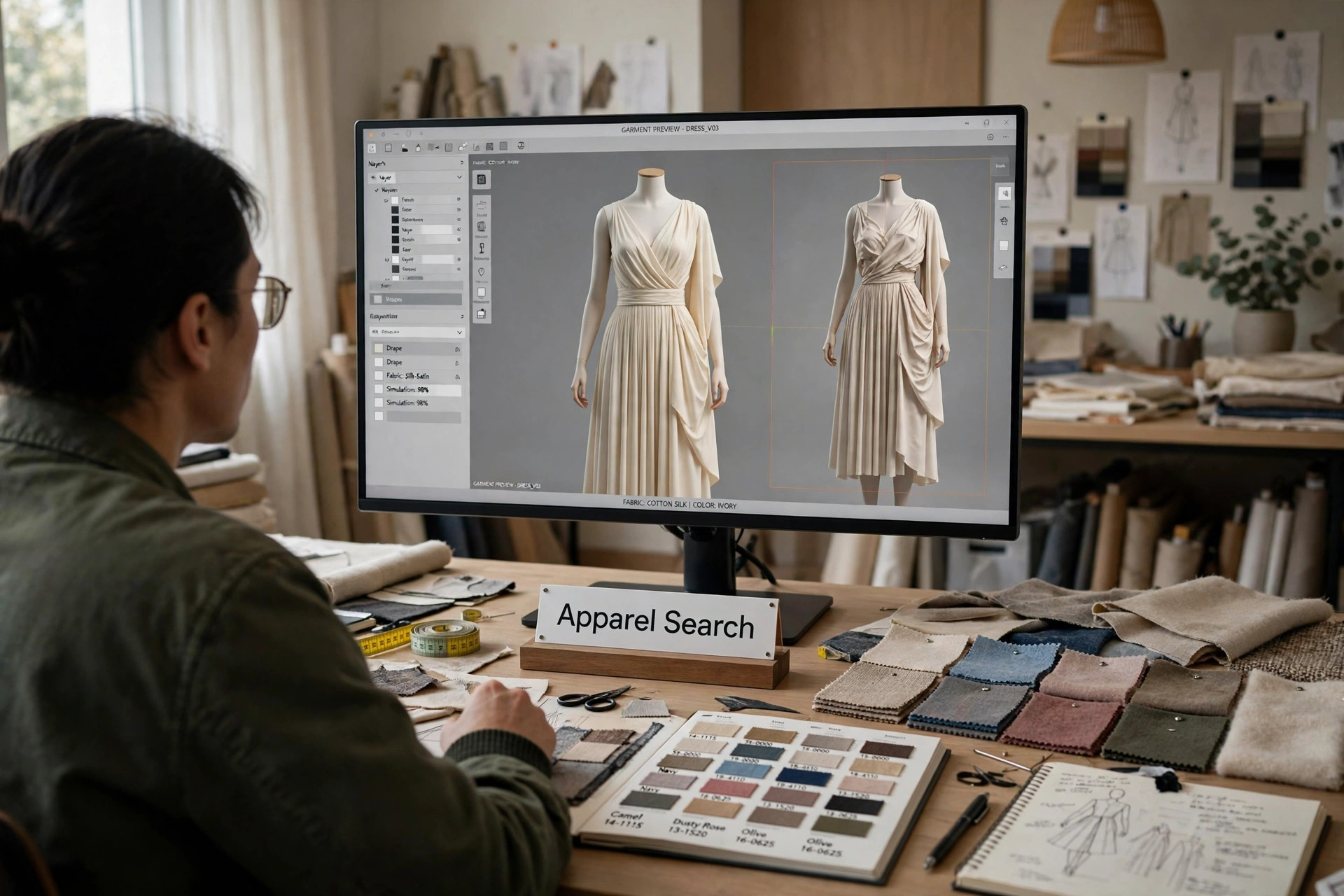
3D sampling does not eliminate physical samples — factories still sew confirmation garments, and some fabrics behave in ways simulation only approximates — but it removes whole rounds of prototyping, air-freighted sample parcels, and weeks of calendar time. It has become standard practice at large brands and is steadily reaching mid-size companies. Our dedicated guide to 3D digital sampling goes deeper into how virtual prototyping fits into product development.
04 / Computer-Aided ManufacturingThe CAM Side: From File to Factory Floor
Spreading and automated cutting
In the cutting room, CAM takes over. The marker file created in CAD drives the process: automatic spreaders lay the fabric in even, tension-controlled layers (a “lay” or “spread”), and then a computer-controlled cutter does the cutting. Modern CNC cutters use a reciprocating knife guided by the marker data, often with vacuum holding the lay still and cameras or registration systems aligning the cut to striped, checked, or printed fabric. Single-ply cutters handle samples, made-to-measure garments, and materials like leather, where a camera first maps the hide so pieces can be nested around its natural flaws.
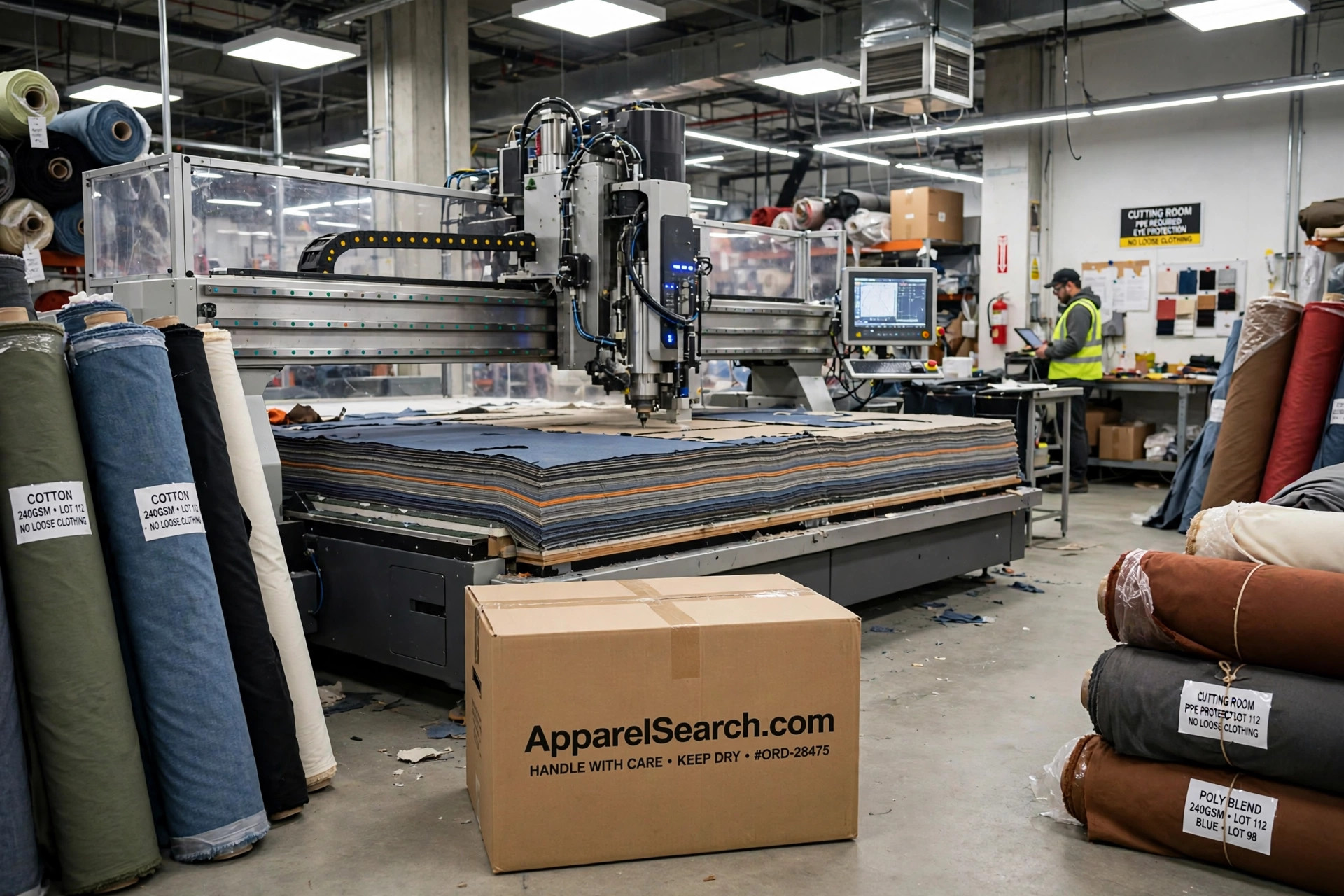
The gains over hand cutting are accuracy and repeatability. A machine cuts the hundredth lay to the same tolerance as the first, follows complex curves without drifting, and records exactly what was cut. Our section on CAM software for the apparel industry looks at the programs that control this equipment.
Embroidery and sewing automation
CAM also reaches past the cutting table. Embroidery designs are digitized into stitch files — instructions that tell a multi-head embroidery machine where every stitch goes, in which direction, and in which thread color — and the same design file produces identical embroidery on the first cap or the ten-thousandth jacket. On the sewing floor, automation ranges from programmable pattern-sewing machines that stitch a set shape (pockets, plackets, belt loops, labels) using a digital template, to unit production systems that carry garment pieces between workstations on overhead rails, tracking each bundle’s progress by computer as it moves through the line.
None of this removes the sewing operator’s skill — setting, guiding, and finishing garments remains hands-on work — but the repetitive geometry of production is increasingly set by file rather than by eye, which is exactly the CAM idea.
05 / Design to ProductionThe Connected Workflow, Step by Step
The real power of CAD/CAM is not any single tool; it is that one set of digital files flows through every stage without being redrawn, re-measured, or re-typed. A typical apparel workflow runs like this:
Design and technical sketch
The designer develops the style — silhouette, fabrics, trims — and the technical designer records measurements and construction in a tech pack, the document the whole chain will work from.
Pattern creation
The pattern maker drafts the pattern in CAD or digitizes a proven paper pattern, adding seam allowances, notches, drill marks, and grain lines, and checks that joining seams walk together correctly.
3D virtual sample
The pattern is assembled on an avatar and reviewed for fit, drape, and proportion. Corrections happen on screen, and only an approved pattern moves forward — many styles never need a physical first sample at all.
Grading and marker making
Grade rules generate the full size range, and markers are nested for each fabric and order quantity, balancing fabric efficiency against the cutting room’s practical needs.
Data to the factory
Pattern and marker files travel to the factory in standard exchange formats (the DXF family of formats is the common language between different vendors’ systems), alongside the tech pack. Product data is often managed end-to-end in a PLM system for fashion, so the pattern version the factory holds is always the approved one.
Spreading, cutting, and sewing
CAM equipment spreads and cuts the lays from the marker file; cut bundles move to the sewing floor, where programmable machines and tracked production systems carry the style through to finished garments.
06 / The PayoffWhy Companies Invest in CAD/CAM
- Fit accuracy and consistency. Digital patterns are measured exactly, graded by rule, and cut by machine, so size 10 fits like size 10 in every factory and every season — and a corrected fit stays corrected, because the fix is saved in the file.
- Fabric savings. Since fabric is typically the biggest single cost in a garment, even a one or two percent improvement in marker efficiency pays back across a production run — automatic nesting routinely finds savings manual markers miss.
- Speed to market. Digital grading, virtual sampling, and file-based handoffs compress development calendars from months toward weeks, and let brands react to a selling style with a reorder instead of a restart.
- Fewer physical samples. Every eliminated prototype round saves fabric, sewing time, and international shipping — a cost saving and a genuine sustainability gain, since sample yardage and air freight are pure overhead.
- A reusable archive. Blocks, fit libraries, and graded patterns accumulate into an asset: next season’s styles start from proven patterns rather than from a blank table, and a lost paper pattern is no longer a lost product.
Technology keeps extending the same logic. Design teams now pair these systems with data-driven tools for range planning and trend analysis — see our guide to AI design and forecasting in fashion — but the foundation remains the CAD pattern file and the CAM equipment that trusts it.
07 / Making the ChoiceChoosing CAD/CAM Software or Services
Companies shop for CAD/CAM at very different scales — a freelance pattern maker needs one seat of pattern software, while a vertical manufacturer is equipping a cutting room — but the questions that matter are much the same:
- File compatibility first. Your patterns must move between your office, your sample room, and your factories. Check that a system reads and writes the standard exchange formats your partners use, and test it with one of your own real patterns — not the vendor’s demo file — before committing.
- Match the system to the work. A brand living in 3D sampling needs strong simulation and fabric libraries; a contractor cutting for many clients needs marker speed and cutter compatibility above all. Buy for the bottleneck you actually have.
- Count the whole cost. Software licenses or subscriptions are only part of it: add the digitizer, the plotter, training days, and the learning curve while a pattern maker moves from paper to screen. Output on a new system usually dips before it climbs well past the old level.
- Training and support. CAD/CAM is a skilled trade layered on top of a skilled trade. Vendors that offer real training — and support in your time zone, in production language — are worth more than a slightly longer feature list.
- Consider a service bureau first. If pattern volume is occasional, outsourcing is the low-risk route: a CAD service can digitize, grade, and make markers per job, deliver factory-ready files, and show you exactly which outputs your business needs before you buy a system of your own.
When you are ready to compare options, start with the directories below: they list the pattern making systems, CAD service providers, and wider apparel software that this guide draws on.