Apparel Search · Design Guide
Technical Flats & Fashion CAD Drawings
The exact, unstylized drawings of a garment — front, back and every seam — that turn a design idea into something a pattern maker and a factory can build.
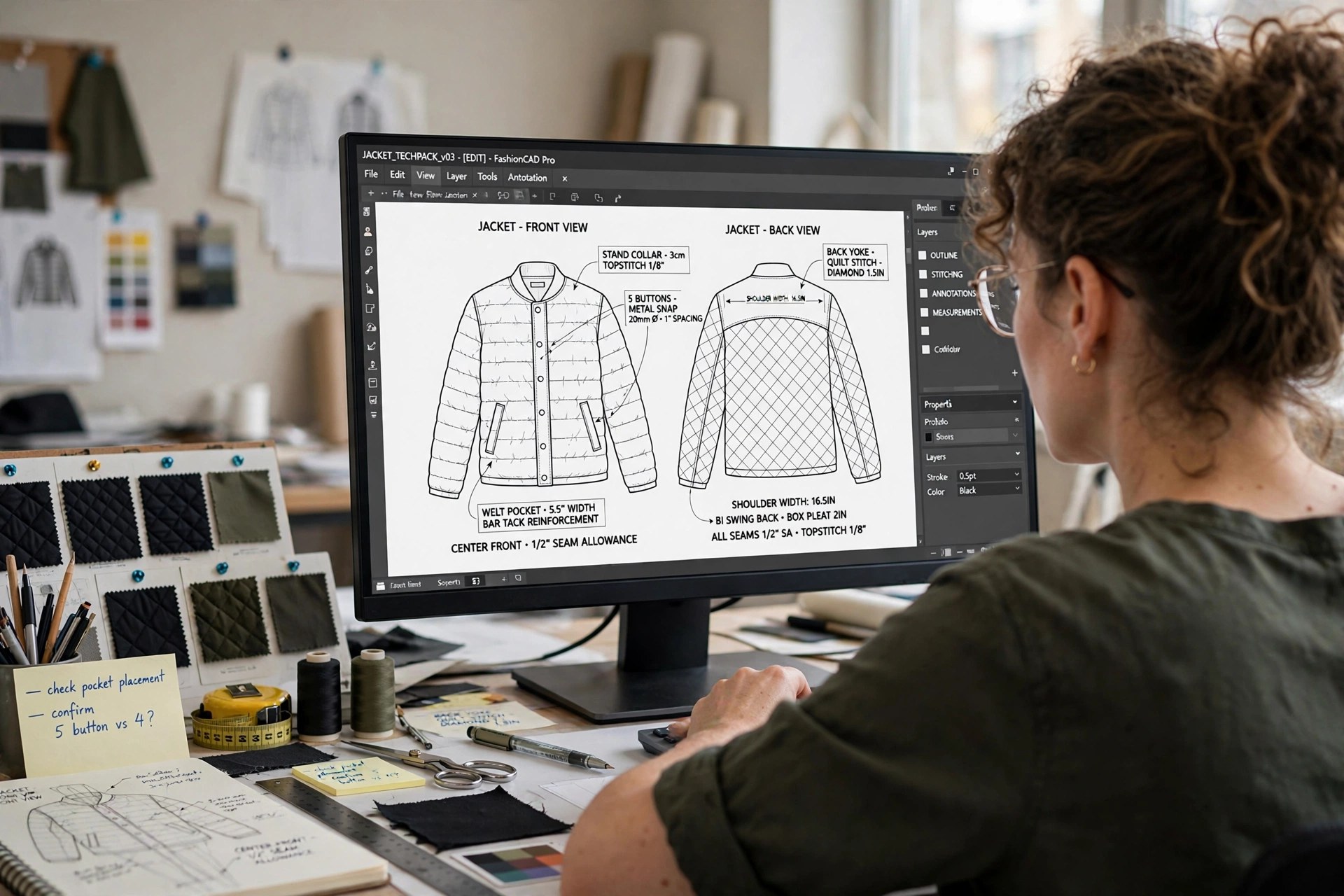
If the illustration is the design’s advertisement, the technical flat is its contract. This guide — part of the Fashion Design & Illustration cluster — covers the drawing skill that production actually runs on: what a flat must show, how hand-drawn and CAD flats are made, and where the flat goes once it leaves the designer’s desk.
Technical Flat, Defined
A technical flat (flat sketch) is a two-dimensional line drawing of a garment shown as if spread out flat, drawn at true proportion with no body, no movement and no styling. Front and back views are standard; side views and enlarged details are added whenever construction is not obvious. Every seam, dart, stitch line, closure and trim on the real garment appears on the flat — if it is not drawn, the factory is entitled to guess, and factories guess cheap.
The Illustration
Drawn on an elongated figure, in color, with fabric rendered and attitude added. Its job is persuasion: sell the silhouette, the mood, the customer. Accuracy of construction is secondary — a sleeve may be sketched in a gesture. Used in design reviews, presentations and portfolios.
The Flat
Drawn off the body, in black line, at measured proportion. Its job is instruction: fix every construction decision so a pattern maker can draft and a factory can sew without asking questions. Used in tech packs, costing and production — the working document of the industry.
What a Good Flat Includes
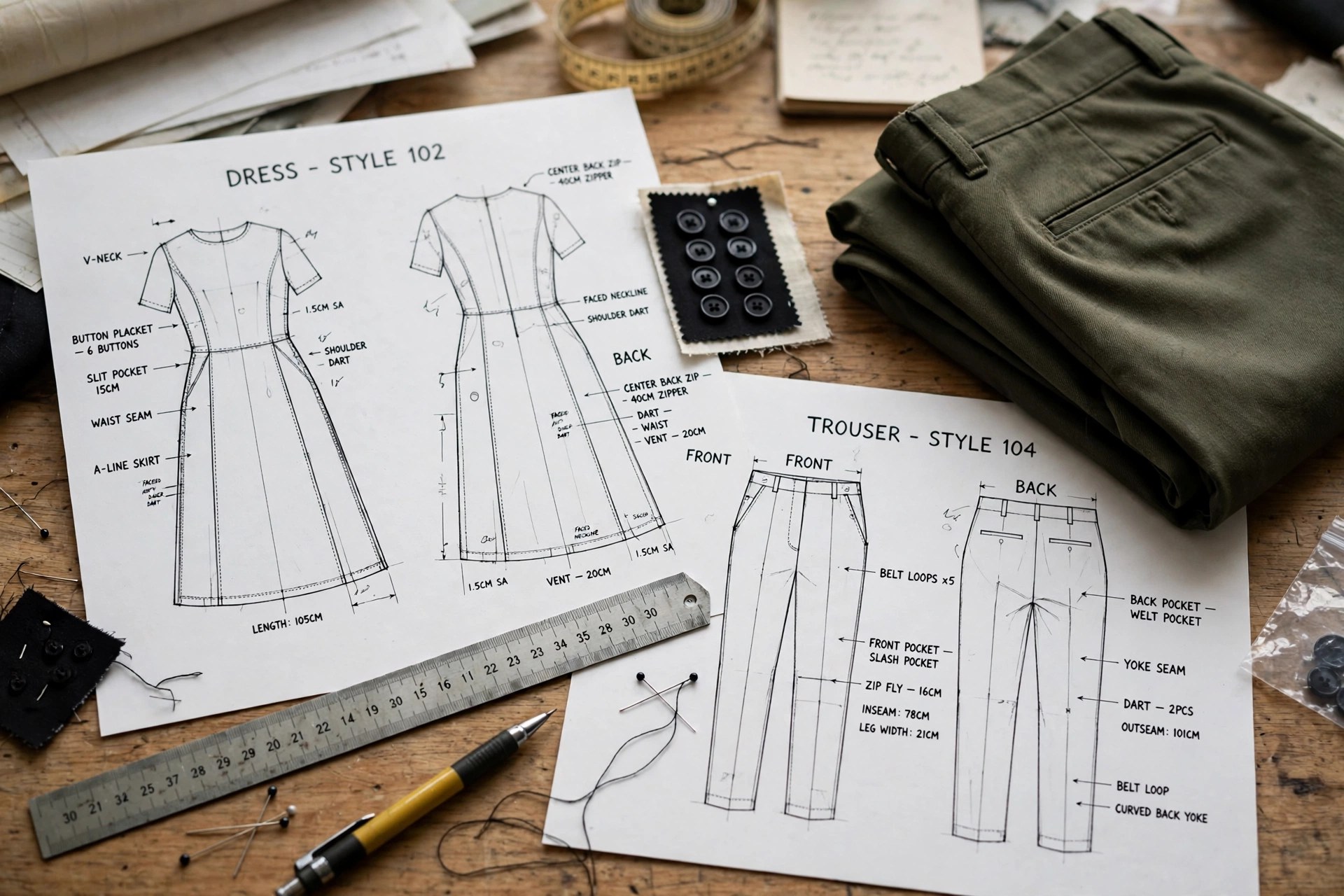
Completeness is the whole craft. A professional flat shows front and back views at the same scale; all seams, panels, darts and style lines in solid line; topstitching in dashed line so the maker can tell structure from decoration; closures drawn as they will actually be — zip teeth, button count and placement, snap positions; pockets with their exact shape, size and placement; and pleats, gathers, shirring and elastication indicated with their conventional marks. Complicated areas get their own enlarged detail sketches: a collar stand, a cuff placket, a fly front. Callouts — short written notes pinned to the drawing — resolve anything line alone cannot: “contrast stitch,” “bartack at pocket corners,” “logo embroidery, left chest.”
Drawing Flats by Hand and in CAD
By hand, flats begin with proportion: the designer blocks the garment’s key measurements — shoulder, chest, waist, hem, length — on a faint body or grid guide, then builds the silhouette and adds internal lines. Symmetry is checked by folding or tracing one half onto the other. It is slow but teaches proportion better than any software, which is why schools still start here.
In CAD — usually a vector program such as Adobe Illustrator — the workflow flips: one perfect half is drawn with the pen tool, mirrored for symmetry, and details are pulled from personal or company libraries of collars, cuffs, pockets, zips and fastenings that accumulate over seasons. Line weights become a code: heavier for garment outline, medium for seams, dashed for stitching. The payoff is revision speed — a sleeve change propagates in minutes — and a file that can be dropped straight into documents, which is why CAD flats are the production standard even in studios that still sketch concepts by hand.
Where the Flat Goes: The Tech Pack
A flat rarely travels alone. It becomes the visual anchor of the tech pack — the specification document that adds measurements, materials, construction notes and grading to the drawing — and the reference against which samples are checked and corrected. The document side of that story, section by section, lives in the Apparel Product Development Guide, whose tech pack coverage picks up exactly where this drawing guide ends; the pattern maker then translates the flat into three dimensions following the Pattern Making & Fitting guide. Learn to draw a flat a stranger could sew from, and you have learned the industry’s most employable drawing skill.
Keep Exploring
Common Questions
What is the difference between a flat sketch and a fashion illustration?
A fashion illustration is expressive and stylized: an elongated figure wearing the garment, drawn to sell the mood and silhouette. A flat sketch is the opposite — the garment alone, drawn two-dimensionally as if laid flat, at true proportion, with every seam, stitch and closure shown exactly. Illustrations persuade; flats instruct. A design normally needs both.
What should a technical flat include?
Front and back views at minimum, drawn at consistent scale, showing all seams, darts, panels, stitching types (solid lines for seams, dashed for topstitching), closures such as zips, buttons and snaps, pockets, pleats, gathers, trims and any detail a maker could misread — enlarged detail sketches are added for complicated areas like collars, cuffs and fastenings.
What software is used for fashion CAD flats?
Most flats are drawn in vector illustration software — Adobe Illustrator is the industry default — because vector lines stay clean at any size, mirror perfectly for symmetrical garments, and build reusable libraries of collars, cuffs, pockets and closures. Some brands work inside PLM-linked CAD tools, but the drawing skill transfers: clean closed shapes, consistent line weights and correct proportion matter more than the brand of software.
Why do factories need flats instead of illustrations?
Because a factory must make decisions an illustration leaves open: where exactly a seam falls, how a pocket is constructed, which stitch is used, what the back looks like. An illustration hides all of that behind style and movement. The flat removes ambiguity — it is effectively the first page of the garment’s instruction manual, and errors caught on the flat cost nothing compared with errors caught on a sample.
Back to the Fashion Design & Illustration Guide
The Fashion Design & Illustration hub maps the whole creative front end — process, illustration, croquis, mood boards and portfolios alongside this guide.